4. Installation process
After you get all the necessary software, you can install the IoT Light Control.
From sources
The sources for IoT Light Control can be downloaded from the Gitlab repo.
1 You can either clone the public repository:
$ git clone git@gitlab.com:zapis-dublya/iot-traffic-light-control.git
Or download the tarball:
$ curl -L 'https://gitlab.com/zapis-dublya/iot-traffic-light-control/repository/archive.tar?ref=master' -o iot_light_control.tar
And extract it with:
$ tar xvf archive.tar
2 Once you have a copy of the source, you can install it with:
$ python setup.py install
As for hardware, find the necessary information below. Grove Base Shield Interfaces:
Connect the following devices:

Also, the table contains the information about the documented API of components.
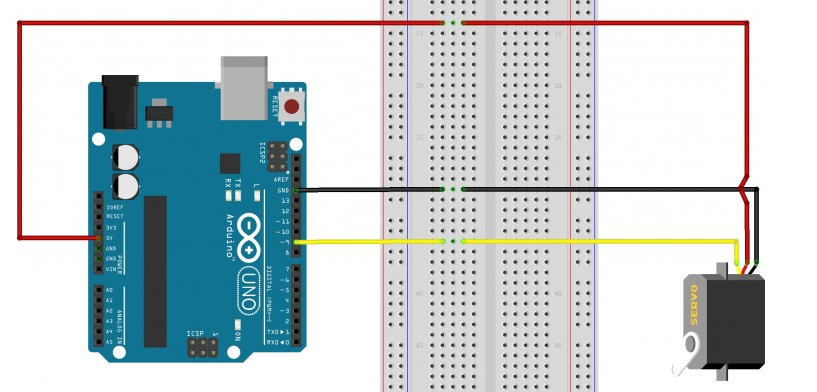
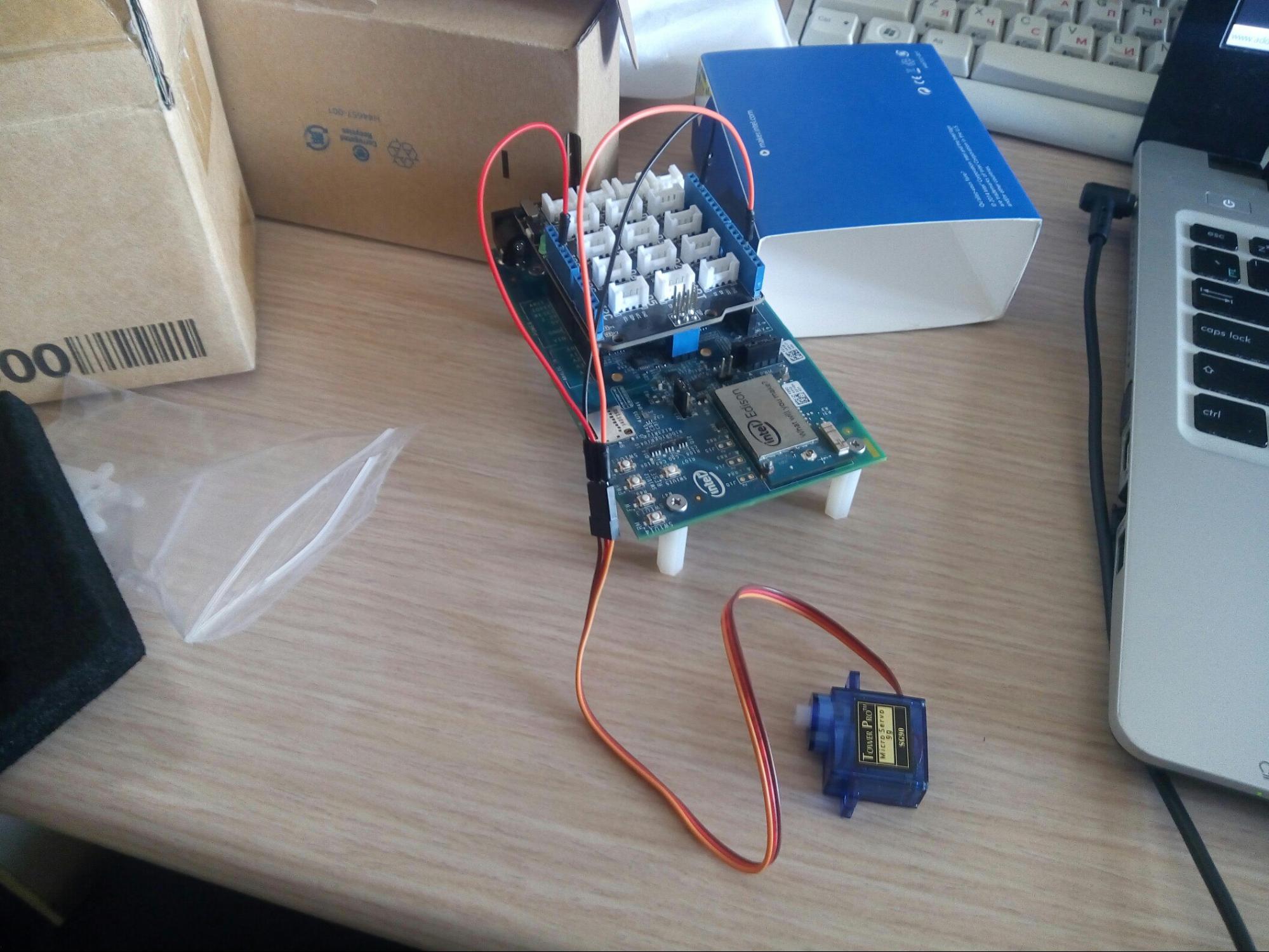
Connect the buzzer using the following scheme or the live photo as an example.
Connect the USB WebCamera and set it above the road.
Aslo, you will need the Mobile Application to control the system. Download it and install on your Android device,
Congratulations! IoT Light Control is ready to use.